How to Copy Telegram Signals to MT4 (Not Just MT5) in 2026
A step-by-step guide to auto-copying Telegram signals into MetaTrader 4, the tools that still support MT4, how MT4 copying differs from MT5, and when you should simply move to MT5 instead.

Yes, you can copy Telegram signals to MetaTrader 4 automatically - a copier reads the channel, parses the entry, stop loss, and take profit, sizes the trade to your risk, and places it on your MT4 account in seconds. The catch is that not every modern copier still supports MT4: several are now MT5-only, so the first decision is choosing a tool that connects to MetaTrader 4 specifically. This guide walks through the setup step by step, lists the copiers that still support MT4, explains how MT4 copying differs from MT5, and covers when you should simply move to MT5 instead.
Automation matters here because speed and discipline decide outcomes: between 74% and 89% of retail accounts lose money (the risk-warning range EU brokers publish under ESMA's product-intervention measures) - usually from slow, emotional execution that a copier removes.
How Signal Copying Works
Automatic flow from Telegram to your MT5 account
What you need to copy Telegram signals to MT4
Copying Telegram signals to MT4 requires three things working together: a Telegram channel that posts clear signals, a signal copier that supports MetaTrader 4, and your MT4 trading account at a broker. The copier sits between the channel and your terminal, turning each message into a correctly sized order.
- A Telegram channel that posts structured signals (pair, direction, entry, stop loss, take profit). Vague "buy gold now" messages are hard to automate safely.
- An MT4-capable copier. This is the part to check carefully - some tools dropped MT4 or never supported it.
- An MT4 account with your broker, plus either your investor/master login (for cloud copiers) or the terminal running a bridge EA (for local copiers).
MT4 vs MT5 for signal copying
The copying workflow is identical on both platforms - parse, size, execute - but the platforms differ in ways that affect automated trading. MetaTrader 5 is the newer platform with better native position management and broader asset support; MetaTrader 4 is older but still widely used for forex and gold. Crucially, MetaQuotes has not sold new MT4 broker licences for years - existing brokers keep their servers, but a new broker cannot offer MT4 - which is why the industry is gradually shifting MT5-first.
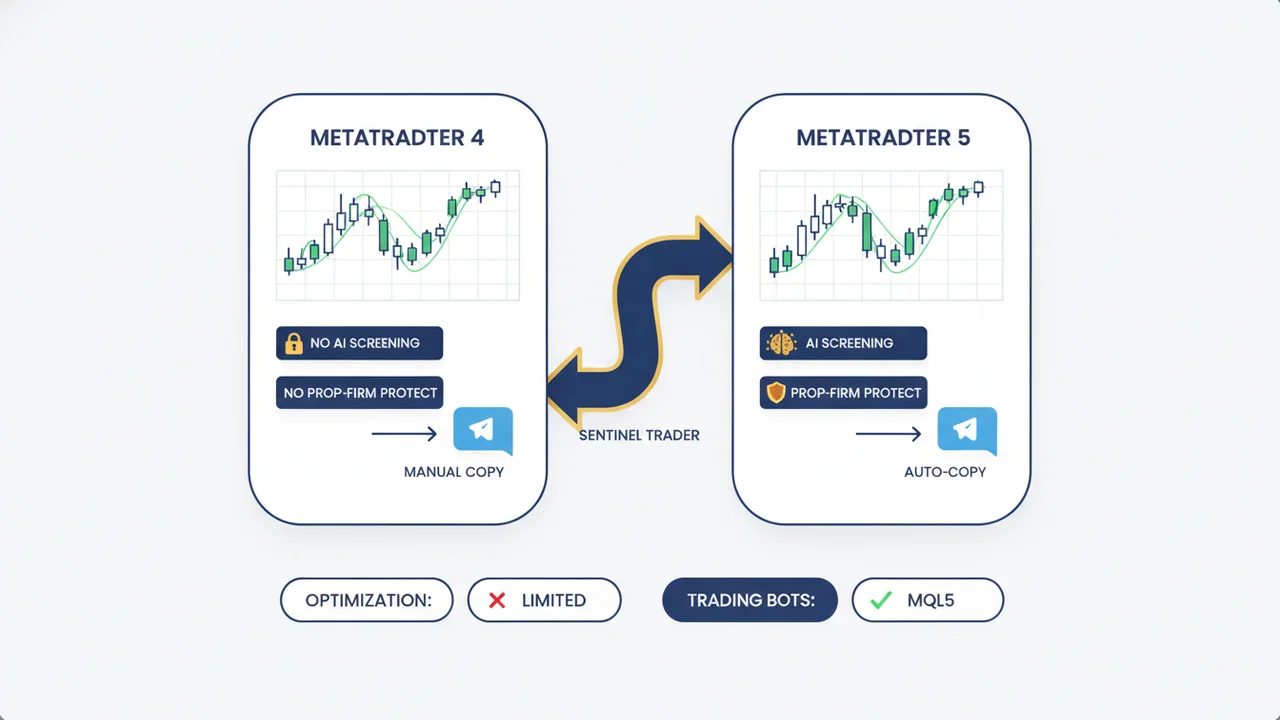
| Factor | MT4 | MT5 |
|---|---|---|
| Primary use | Forex and CFDs | Forex, stocks, futures, more |
| Position management | Hedging by default | Hedging or netting |
| Partial closes | Limited native support | Native, granular |
| Economic calendar | Not built in | Built in |
| Future support | Maintained, but closed to new brokers | Actively developed |
| Copier availability | Good, but shrinking | Broadest and growing |
For pure forex and gold signal copying, MT4 still works perfectly well. But if you are setting up fresh, MT5 is the more future-proof choice - which is also why our copy Telegram signals to MT5 guide is the better starting point for new accounts.
Step by step: copying Telegram signals to MT4
The exact screens vary by tool, but every MT4 copier follows the same five steps. Below is the general flow; budget about 10-15 minutes for a first setup, and always start on a demo account.
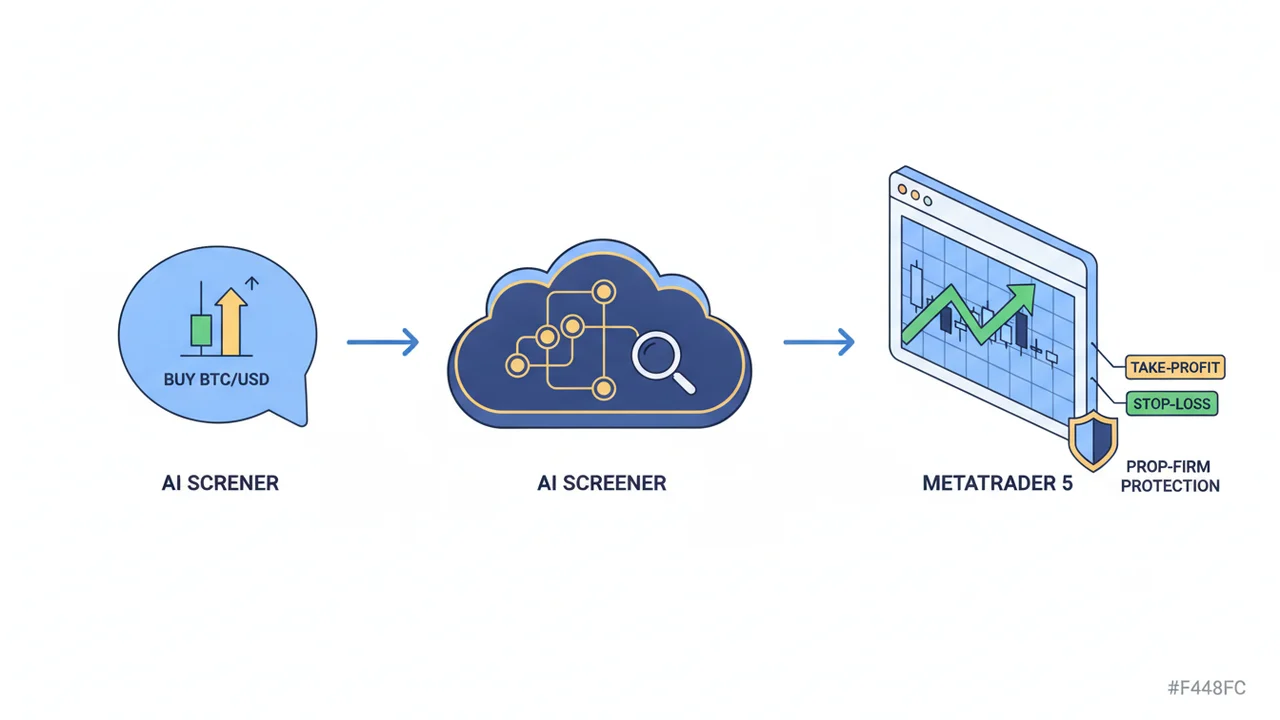
- Choose an MT4-capable copier and create an account. Confirm MT4 is supported - not just MT5 - before paying.
- Connect your Telegram. You authenticate your Telegram session (or add the copier's bot to the channel) so it can read incoming signals from the channel you follow.
- Connect your MT4 account. Cloud copiers ask for your MT4 login, password, and broker server and connect server-side. Local copiers instead run a bridge Expert Advisor inside your MT4 terminal, which must stay online - usually on a VPS.
- Set your risk rules. Define risk per trade as a fixed percentage of your equity (commonly 0.5-1%), set a daily-loss limit, and map how the copier reads stop loss and take profit. Never mirror the provider's raw lot size.
- Test on demo, then go live. Run the copier on a demo MT4 account for a few days, confirm it parses signals correctly and executes within a second, then switch to your live account.
Which copiers support MT4
Several established copiers still support MetaTrader 4 alongside MT5. The right one depends on whether you want cloud (no VPS) or local execution, and on your budget.
- Telegram Signal Copier (TSC) - copies to MT4, MT5, and cTrader, parses text and image signals, and adds per-channel risk and daily-loss limits. The highest-rated option in the category.
- TelegramFxCopier - cloud MT4/MT5 copier with flexible AI parsing of stop loss and take profit, sold as a lifetime license (the cloud version adds MetaApi costs).
- Social Trader Tools - cloud platform for MT4 and MT5 with equity monitoring that can auto-close trades at a set equity level.
- Copygram - MT4/MT5 plus cTrader, DXTrade, and Tradovate, useful if you also trade on newer platforms.
For a deeper comparison of these and others, see our best Telegram signal copiers roundup, and if you trade funded accounts, the best signal copier for prop firms. New to the concept entirely? Start with what is a Telegram signal copier.
Risk management is the same on MT4 or MT5
The platform does not change the rules of survival. Whichever you use, a copier should size every position from your own equity, enforce a daily-loss limit, and handle stops cleanly. MT4's weaker native partial-close support means you should confirm your copier manages partials and breakeven itself rather than relying on the terminal. For the full framework, see our risk-management guide for signal traders.
"The goal of a successful trader is to make the best trades. Money is secondary." - Alexander Elder
If you run a local bridge EA, remember it has to stay online to execute, which is why local MT4 setups usually need a VPS. Cloud copiers avoid this entirely by connecting server-side - we explain the trade-offs in Telegram signal copier without a VPS.
When you should just use MT5
If you are committed to MT4 because your broker, your prop firm, or your existing signals run on it, the tools above will serve you well. But for a new setup, MT5 is increasingly the better long-term bet: native partial closes and position management, a built-in economic calendar for news-aware trading, broader asset support, and the widest and growing set of copiers. Most brokers offer both platforms, and migrating is usually as simple as opening an MT5 account with the same broker.
This is also where Telegram AI Trader fits. It is MT5-native - it does not copy to MT4 - and pairs automated MT5 copying with optional AI signal screening, channel forensics, and a prop-firm risk guard. If you are choosing a platform anyway, that combination is a strong reason to start on MT5. See how MT5 copying works on mobile, no VPS for the fastest setup.
The bottom line
Copying Telegram signals to MT4 is straightforward: pick a copier that genuinely supports MetaTrader 4, connect your Telegram and MT4 account, size every trade from your own equity, and test on demo first. MT4 remains a solid choice for forex and gold automation today. But with MetaQuotes closing MT4 to new brokers and more copiers and prop firms going MT5-first, anyone setting up fresh should seriously consider MT5 - where AI-screened, prop-safe automation is most fully supported.
If you are starting on MT5, see Telegram AI Trader pricing or start a free trial to copy vetted signals with AI screening and a prop-firm guard built in.
Frequently Asked Questions
Can you copy Telegram signals to MT4 automatically?
Yes. A signal copier reads a Telegram channel, parses the entry, stop loss, and take profit, and places the trade on your MetaTrader 4 account automatically. You need a copier that supports MT4 specifically - several do, including Telegram Signal Copier, TelegramFxCopier, and Social Trader Tools - plus your broker's MT4 login or a local bridge EA.
Which copiers support MT4, not just MT5?
Telegram Signal Copier (TSC), TelegramFxCopier, Social Trader Tools, and Copygram all support MT4 as well as MT5. Some tools are MT5-only - Telegram AI Trader, for example, is MT5-native - so if you are committed to MT4 you should confirm platform support before subscribing.
Is copying signals to MT4 different from MT5?
The workflow is the same - parse the signal, size the trade, execute - but MT4 lacks some of MT5's native tools, like built-in partial-close handling and a true economic-calendar feed, so the copier has to fill those gaps. MT5 also supports more asset classes natively. For pure forex and gold signal copying, MT4 still works fine.
Should I use MT4 or MT5 for signal copying in 2026?
If you already trade MT4 and your broker and signals are forex/gold, MT4 is fine. But MetaQuotes has not sold new MT4 licences to brokers for years, MT5 has better position management and more asset support, and more copiers and prop firms are MT5-first. For a new setup, MT5 is the more future-proof choice.
Do I need a VPS to copy Telegram signals to MT4?
Only if you run a local bridge EA inside the MT4 terminal, which must stay online to execute trades - that usually needs a VPS or an always-on PC. Cloud-based copiers remove this by connecting to your account server-side, so they run without a VPS or an open terminal.
Ready to Automate Your Trading?
Join traders who never miss a signal. Start with a free trial and see the difference AI-powered automation makes.
Continue Reading
Best Telegram Signal Copier for Prop Firm Accounts (2026)
The best Telegram signal copiers for prop-firm and funded accounts in 2026, ranked on prop-firm risk controls, platform support, and price.
Read moreComparisonBest AI Forex Trading Bots (2026)
An honest 2026 ranking of the best AI forex trading bots, compared on AI features, prop-firm safety, and price.
Read moreProp Firm TradingHow to Pass a Prop Firm Challenge Using Telegram Signals (2026)
Use Telegram signals to pass a prop firm challenge without breaking the daily-loss or drawdown rule that fails 7 in 10 traders.
Read more