Automatic Stop Loss & Take Profit from Telegram Signals (2026)
How a Telegram-to-MT5 copier reads stop-loss and take-profit levels from a signal and attaches them automatically - plus multiple take-profits, partial closes, breakeven, and trailing stops, and why automated SL/TP beats doing it by hand.
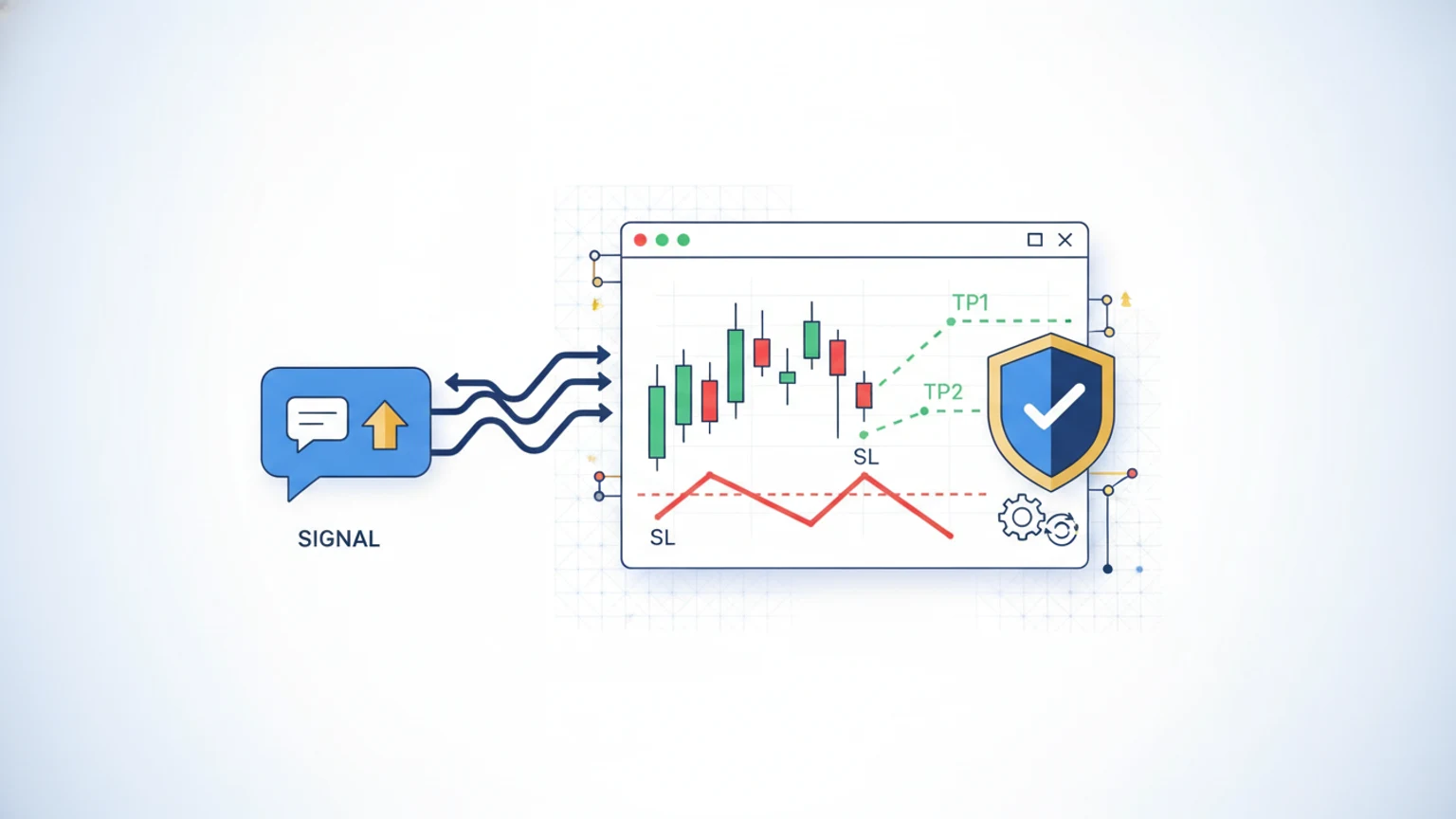
When you copy a Telegram signal to MetaTrader 5, a copier reads the stop-loss and take-profit levels straight from the message and attaches them to the order automatically - so every trade is protected from the moment it opens, without you touching the chart. Better copiers go further: they handle multiple take-profit targets, close part of the position at each one, move the stop to breakeven after the first target, and trail the stop as price runs. This guide explains exactly how automatic SL/TP works, the position-management features that sit on top of it, and why automating these beats setting them by hand.
The stakes are simple. A stop-loss is the difference between a planned small loss and an unplanned large one, and most account damage comes from trades left unprotected or stops widened in hope. With between 74% and 89% of retail accounts losing money (the risk-warning range EU brokers publish under ESMA's product-intervention measures), the edge is rarely the entry - it is disciplined exits, executed every time. Automation makes that discipline non-negotiable.
Stop-loss and take-profit, defined
A stop-loss is a price below your entry (for a buy) at which the trade closes automatically to cap your loss. A take-profit is a price above your entry at which it closes automatically to bank your gain. Together they define the trade's risk and reward before it even opens. A signal like "Buy XAUUSD @ 3380, SL 3374, TP1 3386, TP2 3392" (illustrative prices) is simply an entry with a 6-dollar risk and two profit targets - and a copier's job is to translate that text into a live, protected MT5 order.
"Learn to take losses. The most important thing in making money is not letting your losses get out of hand." - Marty Schwartz
How a copier extracts SL and TP from a signal
Telegram signals arrive as free-form text, and the first job of a copier is parsing - reading the message and identifying the pair, direction, entry, stop-loss, and take-profit levels regardless of formatting. Providers write signals in dozens of styles ("SL: 2374", "Stop 2374", "sl @ 2374"), and a good parser handles them all, plus image-based signals and edited or cancelled messages.
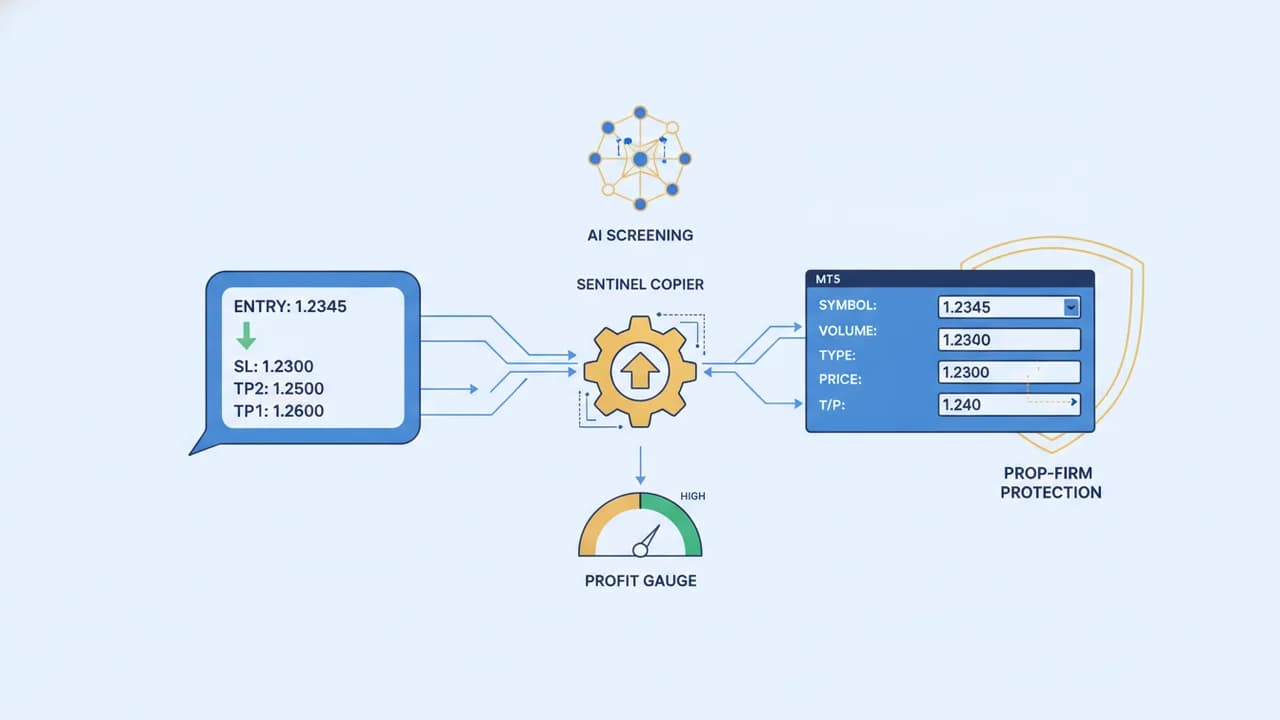
Once parsed, the copier places the MT5 order with the stop-loss and take-profit fields already filled - they are attached server-side to the position, so they execute even if your device is off. This is the core safety win: there is never a window where the trade is live but unprotected. For the full setup, see how to copy Telegram signals to MT5 and what a Telegram signal copier is.
When a signal has no stop-loss
Some signals omit a stop entirely - a serious risk flag. Copiers handle this in one of two ways: skip the signal, or apply a default stop from your own risk rules so the position always has a hard exit.
Telegram AI Trader takes the first route, and the reason is arithmetic rather than caution. Lot size is derived from your risk percentage divided by the stop distance, so with no stop there is no distance, no defensible lot size, and nothing to place. The signal fails validation and no order is sent. You are not left with an unprotected position; you are left with a trade you did not take.
Treat any provider that routinely posts no-stop signals as a reason to leave, not a quirk to work around.
When a signal has a stop but no target
This is the more common case, and it is handled differently. If a signal carries an entry and a stop-loss but names no take-profit, Telegram AI Trader's per-channel no-TP policy decides what happens. The default, open_1r, sets TP1 at exactly one R - the same distance above your entry as the stop is below it - so the trade has a defined exit and a 1:1 reward-to-risk floor instead of running indefinitely.
A worked example from production on 9 September 2026: a BTCUSD signal arrived with entry 79,150 and stop 78,400, and no target. The stop distance was 750, so TP1 was set at 79,900. The position opened 28 seconds after the message was posted, and the channel received a one-time notice explaining that a target had been added.
Handling multiple take-profit targets
Many signals list several targets - TP1, TP2, TP3. The professional way to manage them is not to wait for the final target, but to scale out: close part of the position at each level and let the rest run.
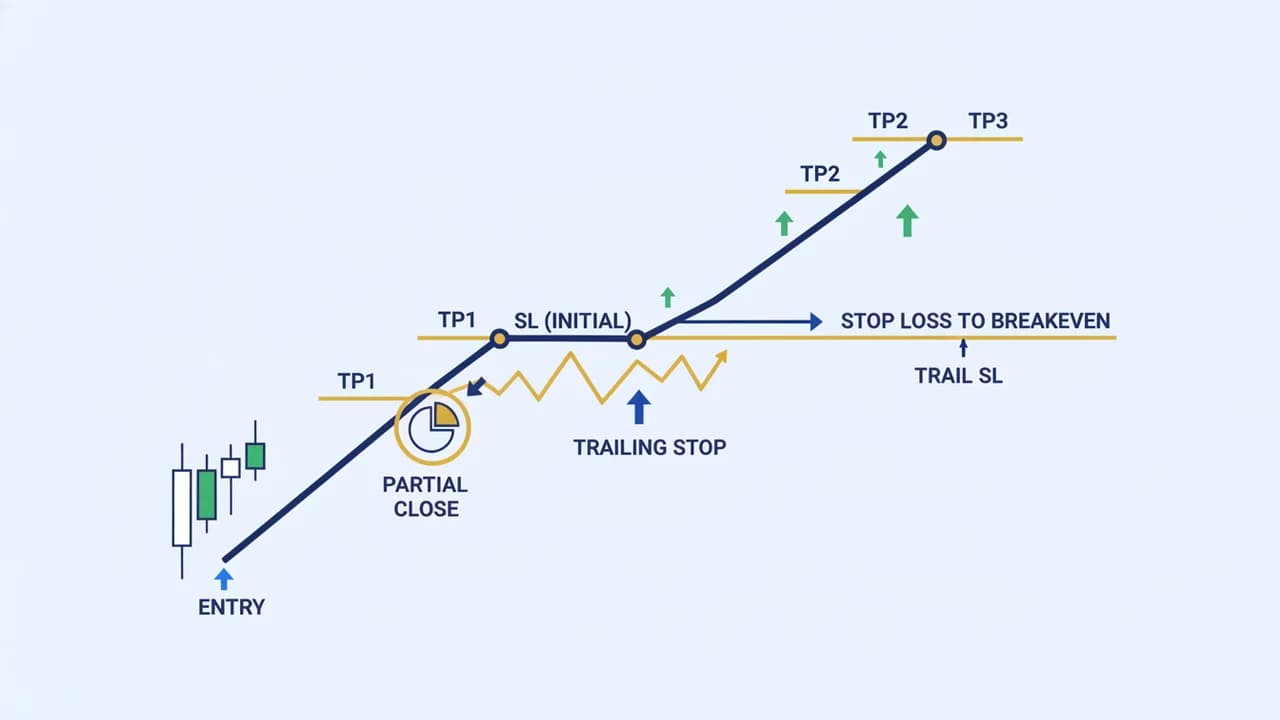
A typical automated sequence on a single trade:
- Open the position with the stop-loss and all take-profits attached.
- TP1 hit - close a third of the position, banking profit, and move the stop to breakeven so the remaining size carries no risk to your original capital.
- TP2 hit - close another portion and let the stop trail behind price.
- TP3 hit (or trailing stop triggered) - close the remainder.
This is how a copier turns a multi-target signal into a managed trade. The key features that make it work:
| Feature | What it does | Why it matters |
|---|---|---|
| Partial close | Closes part of the position at each target | Banks profit while leaving size to run |
| Breakeven | Moves the stop to entry after TP1 | Converts a winner into a no-risk trade |
| Trailing stop | Follows price as it moves in your favour | Captures extended runs, exits on reversal |
| Default SL | Applies a stop when a signal omits one | No trade is ever left unprotected |
Trailing stop and breakeven, explained
Breakeven moves your stop-loss to the entry price once the trade is comfortably in profit - after that, the worst case is a zero loss, not a real one. Trailing stop is more dynamic: it follows price upward (for a long) at a fixed distance, locking in more profit as the trade extends and closing automatically if price reverses by that distance. Both protect open profit; the difference is that breakeven sets one new stop level while a trailing stop keeps moving. A copier applies either - or both in sequence - based on your settings, the same smart position management we describe in the risk-management guide.
Common stop-loss and take-profit mistakes
Even with automation available, traders undo their own protection in predictable ways. Configure your copier to prevent these, not enable them:
- Sizing the trade before setting the stop. Risk should be derived from the stop distance, not the other way round. A wider stop needs a smaller lot to keep risk constant - a copier that sizes from your equity and the signal's stop does this for you, but a fixed-lot setup does not.
- Copying the provider's stop distance but not their account. A provider's 50-pip stop might be 0.3% of their account and 3% of yours. The stop level can be the same; the position size must come from your own equity.
- Disabling the stop to "give the trade room." This is the single most expensive habit in trading. If a signal's stop is too tight for you, take the signal smaller or skip it - never remove the stop.
- Setting take-profits so far out they never fill. Greedy targets turn winners into round-trips back to breakeven. Scaling out at the provider's stated TP1/TP2 banks real profit instead of hoping for the home run.
- Ignoring spread and slippage on tight scalps. A 5-pip take-profit on a 2-pip spread is mostly cost. Automation places the order fast, but you still choose a broker and channel whose targets clear the friction.
Each of these is a settings choice, not bad luck. A copier that enforces equity-based sizing and a mandatory stop removes most of them by default.
Why automatic SL/TP beats manual
For hands-off signal copying, automating exits is not just convenient - it is more disciplined. Four reasons:
- Speed. The stop and targets attach in milliseconds, before fast markets can move against an unprotected position.
- No forgetting. Automation never misses a stop on a busy session or an overnight trade - it works while you sleep, across a 24/5 market.
- No hope-widening. The most common manual mistake is moving a stop further away during a losing trade, turning a small planned loss into a large one. Automation simply executes the plan.
- Consistency. Every trade gets the same protection the same way, which is the only fair test of whether a provider's edge is real - the case we make in manual vs automated trading.
The discipline matters most on funded accounts. An FPFX Technologies study of more than 300,000 prop accounts found that only about 7% of traders ever took a payout (Finance Magnates). On a prop account, a missing or widened stop is not just a bad trade; it can end the evaluation, which is why we pair automatic SL/TP with a firm-aware guard in our prop-firm signal-trading guide.
How Telegram AI Trader handles SL/TP
How Signal Copying Works
Automatic flow from Telegram to your MT5 account
Telegram AI Trader attaches the stop-loss and take-profit from every signal automatically as it copies it to MT5, and layers full position management on top: multiple take-profit targets with partial closes, automatic breakeven after the first target, and trailing stops - all sized from your own equity rather than the provider's lot. If a signal arrives without a stop it is rejected at parsing and no order is placed, because there is no stop distance to size the trade from; if it has a stop but no target, TP1 is set at exactly 1R by the per-channel no-TP policy. Optional AI signal screening on Pro and Advanced can halve or reject a weak signal before it reaches your account - 60% confidence and above executes at full size, 50-59% at half size, below 50% is rejected. For funded traders, the prop-firm guard checks a new trade's worst case - including the stop distance on positions already open - against the daily-loss and drawdown limits you store, and blocks it if that would cross your buffered line. It runs in the cloud, so your exits execute whether or not your laptop is on - no VPS required. Compare the field in our best Telegram signal copiers roundup.
The bottom line
Automatic stop-loss and take-profit is the feature that turns raw Telegram signals into managed trades. A copier parses the SL and TP from each message, attaches them to the MT5 order instantly, and - in capable tools - scales out across multiple targets, moves the stop to breakeven, and trails the rest. It is faster, more disciplined, and more consistent than manual management, and it never widens a stop out of hope. Insist on a copier that never leaves a trade unprotected, size every position from your own equity, and let automation enforce the exits that actually decide whether you keep your profits. For the honest economics behind all of this, see can you actually make money copying Telegram signals.
See Telegram AI Trader pricing or start a free trial to copy Telegram signals to MT5 with automatic stop-loss, take-profit, and full position management built in.
Frequently Asked Questions
How does automatic stop-loss and take-profit work with Telegram signals?
A Telegram-to-MT5 copier reads the signal message, extracts the entry, stop-loss, and take-profit levels, and attaches them to the MT5 order the moment it is placed - so every trade is protected from the first second. Advanced copiers also handle multiple take-profit targets, move the stop to breakeven after the first target, trail the stop as price runs, and close part of the position at each target. It does this in milliseconds, without you watching the chart.
What happens if a Telegram signal has no stop-loss?
In Telegram AI Trader the signal is rejected at parsing and no order is placed - a trade without a defined stop cannot be sized, because the stop distance is what converts your risk percentage into a lot size. Other copiers vary: some skip it, some apply a default stop from your settings. Either way, never copy a no-stop signal at full size and hope, and treat a channel that posts them routinely as a reason to leave.
Can a copier handle multiple take-profit targets (TP1, TP2, TP3)?
Yes. When a signal lists several take-profit levels, a capable copier splits the position and closes a portion at each target - for example a third at TP1, a third at TP2, and the rest at TP3 - locking in profit progressively while leaving some size to run. It typically moves the stop-loss to breakeven once TP1 is hit, so the remainder of the trade carries no risk to your original capital.
What is the difference between a trailing stop and breakeven?
Breakeven means moving your stop-loss to the entry price (or just above it) once a trade is in profit, so the worst case becomes a zero loss. A trailing stop goes further: it follows price as it moves in your favour, locking in more profit as the trade runs and exiting automatically if price reverses by a set amount. Both are ways to protect open profit; a copier can apply them automatically based on your settings.
Is automatic stop-loss better than setting it manually?
For most signal traders, yes. Automation attaches the stop and targets in milliseconds, never forgets, and is not tempted to widen a stop out of hope during a losing trade - the single most common way manual traders turn a small loss into a large one. Manual management can work for a full-time discretionary trader, but for hands-off signal copying, automated SL/TP is more disciplined, faster, and works while you sleep.
Ready to Automate Your Trading?
Join traders who never miss a signal. Start with a free trial and see the difference AI-powered automation makes.
Continue Reading
FTMO Rules: The Complete Guide for Signal Traders (2026)
A complete, current guide to FTMO's rules - profit targets, daily-loss and max-drawdown limits, and trading days - written for traders automating Telegram signals.
Read moreSetup GuideTelegram Signal Copier Without a VPS: How Cloud Copying Works (2026)
How to copy Telegram signals to MT5 without a VPS using a cloud-based copier - how cloud copying works, costs, latency, and when a VPS still makes sense.
Read moreComparisonBest Telegram Signal Copier for Prop Firm Accounts (2026)
The best Telegram signal copiers for prop-firm and funded accounts in 2026, ranked on prop-firm risk controls, platform support, and price.
Read more